
Donate Mobile Legends Adventure - buy M-Cash using User ID and Zone ID
Build a powerful team and develop your favorite heroes in Mobile Legends: Adventure with M-Cash — get in-game bundles and other premium content to unlock even more possibilities for your adventure!
1. Select amount to top up
2. Provide Account Id
3. Select payment method
How to Top Up M-Cash in Mobile Legends: Adventure
Choose the Mobile Legends: Adventure M-Cash package you would like to purchase.
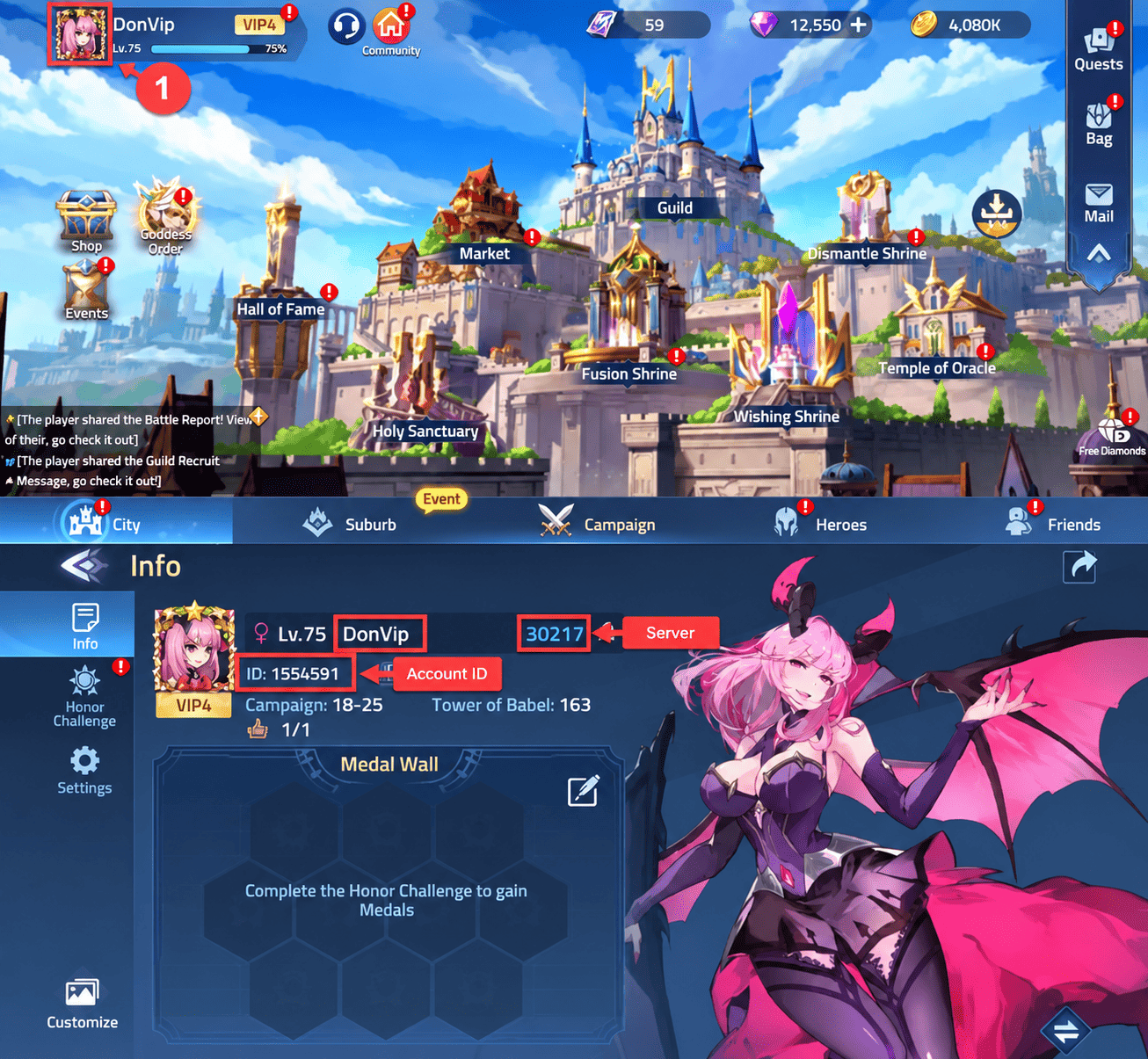
Enter the User ID of your Mobile Legends: Adventure account.
Enter your Zone ID and carefully check that all the information is correct.
Choose your preferred payment method and complete the payment.
Once your payment has been successfully confirmed, your order will be processed and the M-Cash will be credited directly to the specified Mobile Legends: Adventure account.
Important: Please double-check your User ID and Zone ID before completing the payment. Once the M-Cash has been successfully delivered to the specified account, it cannot be transferred to another account. To find your User ID and Server ID, open Mobile Legends: Adventure and tap your avatar in the upper-left corner of the main screen. Your account information will be displayed there. You do not need to provide your Mobile Legends: Adventure password or access to your account to complete the top-up.
Your Order
Mobile Legends: Adventure
M-Cash
Your payment is secure. We use modern encryption technologies to ensure the security of your data.