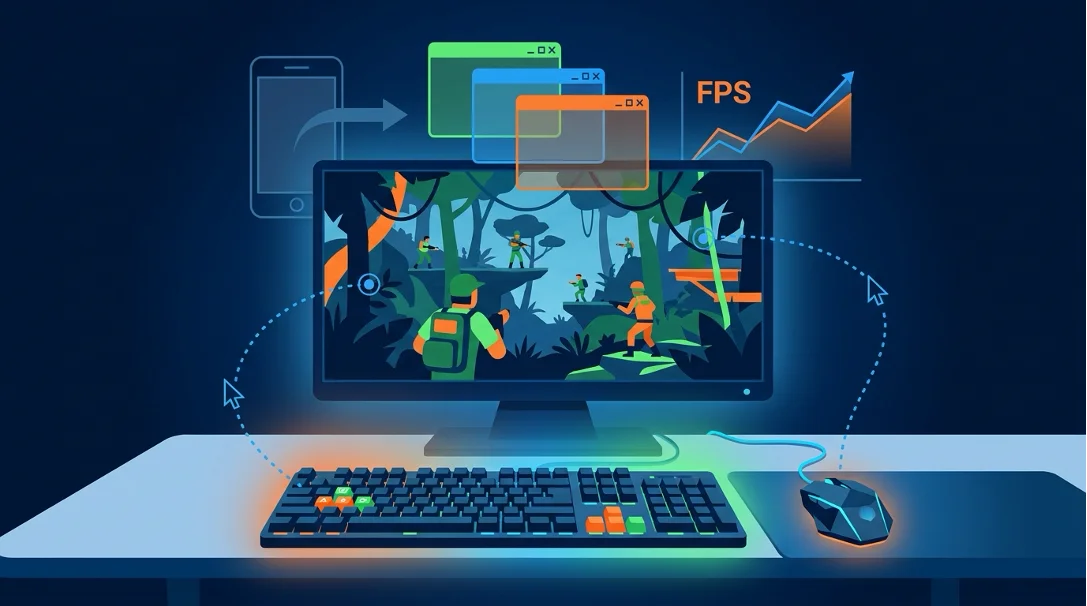
PUBG Mobile on PC: Choosing an Emulator, Setting Up Controls, and Keeping Your Account Safe
PUBG Mobile on PC: Choosing an Emulator, Setting Up Controls, and Keeping Your Account Safe

Author: Igor Bezuglov, historian and analyst. Updated: 2026-07-24.
To play PUBG Mobile safely on PC in 2026, use the official GameLoop emulator, which provides the strongest protection against bans thanks to built-in support for Tencent’s anti-cheat system. For maximum FPS, BlueStacks 5 or LDPlayer 9 are suitable, although they require hardware virtualization to be enabled in the BIOS. On low-end office laptops, stable performance can be achieved by lowering graphics settings and choosing the right renderer.
When mobile gaming first began moving to desktop computers on a large scale, players faced the challenge of choosing a stable platform. Today the market offers many solutions, but not all of them are equally safe.
Tencent’s Official Position: Which Emulator Will Not Lead to a Ban?
GameLoop is the only officially approved emulator for PUBG Mobile and was developed by Tencent itself. Using third-party software always carries a risk of account suspension because the anti-cheat system closely monitors unusual interference.
Mobile shooter developers have traditionally separated players according to their control method. That is why the safest anti-cheat-compatible experience comes from certified software that correctly places you in lobbies with other PC users.
Comparison of Popular Emulators in 2026: GameLoop, BlueStacks, LDPlayer, MuMu
In 2026, the market leaders remain GameLoop (security), BlueStacks 5 (maximum FPS), LDPlayer 9 (optimization), and MuMu Player (an alternative for enthusiasts). The best choice depends on your priorities and system specifications.
When comparing emulator performance, it is important to consider the graphics API. For example, DirectX tends to work better on older systems, while OpenGL can perform better with modern graphics cards.
● GameLoop: ideal for beginners and offers the safest account experience.
● BlueStacks 5: a popular choice for competitive players, with flexible control customization.
● LDPlayer 9: delivers excellent results in LDPlayer FPS tests on mid-range systems.
● MuMu Player: has an interesting architecture but requires fine-tuning.
Step-by-Step GameLoop Installation for Beginners
Installing GameLoop takes no more than 10 minutes. Download the official installer, after which the main files are downloaded automatically. This is one of the fastest ways to start playing without complicated preliminary setup.
To download the emulator without malware, always use the official GameLoop website. Third-party download catalogs may bundle unwanted software or hidden miners.
- Step 1. Go to the developer’s official website and download the installer.
- Step 2. Run the installer and choose a directory with enough free disk space.
- Step 3. Wait for the core engine to finish downloading and for the game client to be installed automatically.

Mouse and Keyboard Controls: Keymapping Guide
Keymapping technology lets you assign touchscreen areas to familiar WASD keys and mouse controls, turning the mobile shooter into a full PC-style experience. Precise sensitivity settings are critical for accurate aiming.
In practice, keyboard setup in PUBG requires an individual approach. BlueStacks offers one of the most advanced keymapping systems, allowing you to create complex profiles for different combat styles.
How to Enable VT-x/AMD-V Virtualization in BIOS
VT-x/AMD-V hardware virtualization is a fundamental CPU feature; without it, virtual machines can suffer severe performance issues. It is enabled through your motherboard’s BIOS or UEFI menu.
Virtualization can seem complicated to beginners, but motherboard manufacturers have made the process much easier. Usually, you only need to restart the computer, enter the BIOS, and set Virtualization Technology to Enabled.
Performance Optimization for Low-End PCs
For a low-end office laptop, use the emulator’s minimum graphics settings, limit allocated RAM to 2–4 GB, and select DirectX rendering. This can help reduce frame-rate drops even on integrated graphics.
Many players wonder how to play on a low-end PC without constant freezes. The key is proper resource allocation: disable anti-aliasing, lower the resolution to 720p, and close unnecessary background processes in the operating system.
Buying UC and Account Security
Topping up your balance through a PC emulator is no different from the mobile version: the safest approach is to use your Player ID through a trusted service. This avoids sharing your account password during transactions.
If you need a PUBG Mobile top-up, using your unique identifier remains a convenient method. You can quickly find your Player ID in the game’s main menu by clicking your profile avatar.
Common Errors and Crashes: Solutions
Most crashes and errors can be resolved by clearing the emulator cache, updating graphics drivers, or switching the graphics API from OpenGL to DirectX. Keeping the client updated also reduces the risk of unexpected failures.
Earlier generations of PUBG Mobile emulators often suffered from synchronization issues. Today, it is generally enough to keep system libraries up to date and ensure that your hardware meets the requirements of the selected graphics settings.
Permitted Macros and Additional Features
Using macros to compensate for recoil or automate actions is strictly prohibited by Tencent’s rules and may lead to a permanent ban. Only remapping individual keys for control convenience is permitted.
Looking through FAQs on specialized resources, it is clear that many players are interested in automating shooting. However, remember that even a legitimate PUBG Mobile top-up will not protect your progress if the anti-cheat system detects prohibited scripts or macros.
Expert opinion. In practice, most bans when playing on desktop are caused not by emulation itself, but by attempts to inject third-party scripts or bypass the built-in anti-cheat system. Using official solutions from the developer minimizes this risk while also providing stable network packet routing.
—
technical specialist in virtual environment optimization
Frequently Asked Questions
Which Emulator Should You Choose for PUBG Mobile in 2026 to Avoid a Ban?
According to the article, GameLoop is the officially approved option. Other platforms may carry additional account risk, although many players use BlueStacks in practice.
Do You Need to Download PUBG Mobile Separately, or Is It Included in the Emulator?
On most modern gaming platforms such as GameLoop, the game client can be downloaded automatically from the built-in store after the core engine is installed.
Can You Play PUBG Mobile Comfortably on a Low-End Laptop with 4 GB of RAM?
Yes. Use minimum graphics settings, select DirectX rendering, and close unnecessary background programs in Windows.
Where Can You Safely Top Up PUBG Mobile UC Without Sharing Your Account Password?
The safest option is to use platforms that work with Player ID, which removes the need to share account login credentials with third parties.
What Should You Do If the PUBG Mobile Emulator Crashes or Lags During a Match?
Clearing the application cache, updating graphics drivers, or switching the graphics API from OpenGL to DirectX in the virtual machine settings usually helps.
Summary
● GameLoop remains the official and safest choice for PC.
● For stable performance of a virtual environment, hardware virtualization (VT-x/AMD-V) should be enabled in the BIOS.
● Keymapping lets you fully adapt touchscreen controls to a mouse and keyboard.
● On low-end devices, using DirectX and limiting RAM usage is especially important.
● In-game currency purchases should use Player ID to avoid exposing account login details.
Moving from a mobile device to desktop opens up new possibilities in competitive shooters. Choosing software carefully and following the developer’s rules will help you enjoy smoother gameplay while reducing the risk of losing your accumulated progress.

You may be interested

Recommended products

PUBG Mobile
See more ›

Hero Clash

See more ›

Dragonheir: Silent Gods

See more ›
 Soon
SoonJaco

 Soon
SoonParty Hero

 Soon
SoonWego Party

 Soon
SoonYalla Live

 Soon
SoonDuet Night Abyss

 Soon
SoonSoho 101 Okey


LifeAfter

See more ›
Reviews
No reviews yet. Be the first!